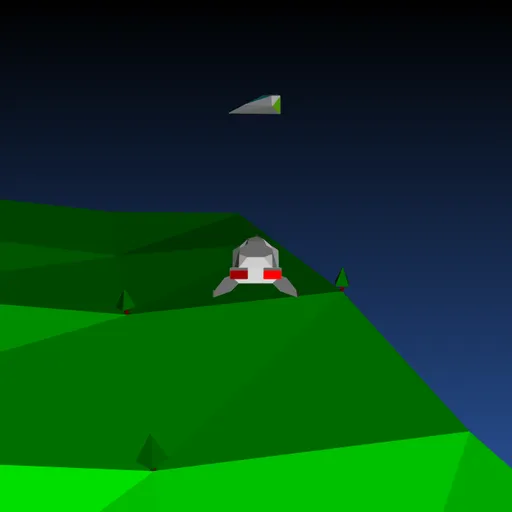
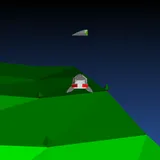
Backspace: Return to Figadore is a 3D flying game where your weapon heals instead of harms. You take Jade’s ship low over the rolling green hills of Figadore. An alien sickness is passing from ship to ship in the sky, and your missiles carry the cure. Jasper Renow-Clarke built it for the 2019 js13k contest, whose theme was “Back,” using his own engine that draws every frame as SVG lines.
The Mission
Turn every red ship gray. Each cure adds one point to your score. If the whole fleet goes red, you get a FAILED screen and start over at level 1. Get through all five levels and Figadore is safe.
Flying Your Ship
Press any key on the title screen to begin. The ship always moves forward. Up adds speed, Down slows you and lets you drift back, and Left and Right bank into a turn. Moving the mouse to either side slides you sideways without changing your heading, which is handy for lining up a shot.
Fly too far toward any edge and the game drops you back in the middle of the map, so you never get lost.
How the Sickness Spreads
At the start of each level, about half the ships are red. For the first few seconds nothing spreads. After that, any red ship that drifts close to a gray one infects it. Healthy ships try to steer away, but they do not always escape.
Space or Enter launches a spinning missile straight ahead. When it passes near a red ship, that ship turns gray. The bar on the right shows how much of the fleet is sick.
How to Control Backspace: Return to Figadore
| To do this | On a keyboard | With a mouse |
|---|---|---|
| Begin play, or go back to the title once it's over | Press any key (Space or Enter) | — |
| Rotate left or right | Use Left/Right arrows, A/D or Z/X | — |
| Accelerate | Press Up arrow, W or ; | — |
| Brake and drift backward | Press Down arrow, S or . | — |
| Launch a cure missile | Press Space or Enter | — |
| Strafe sideways | — | Shift the mouse left or right |
Pilot Tips
- Use the opening seconds. The grace period is the best time to cure the closest red ships.
- Hit sick ships in crowds. One red ship among gray ones can infect several quickly.
- Slide, then shoot. The mouse shift puts a target in front of you without a wide turn.
- Pace your missiles. Only five fly at once, so short bursts beat holding the key.
- React to the bar. If red keeps growing, stop roaming and work on the nearest targets.
Look and Sound
Terrain, trees, the moon and the ships are all live vector shapes. Sound effects for firing, curing and level changes are made in the browser, and text uses a 14-segment display font. Want more fast action? Try Bullet Hell Shooter or the rest of the action games.
Last played and checked by SZ Games: