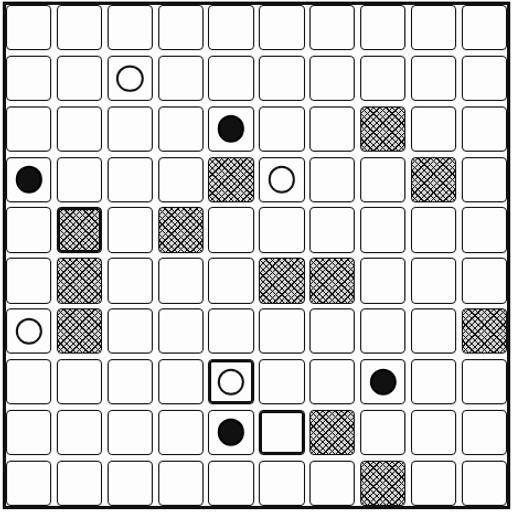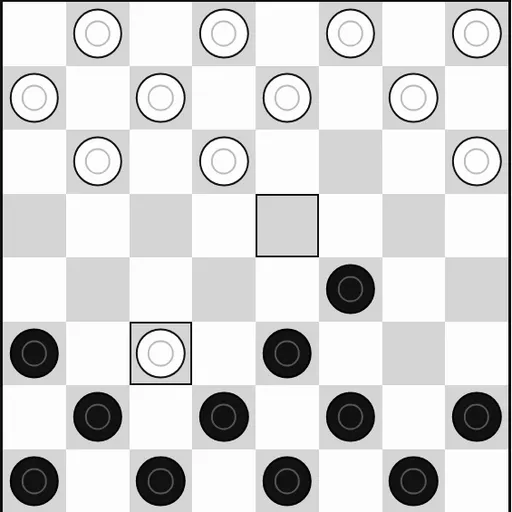
Checkers is a two-player board game of diagonal moves and jumps. This version is part of Christopher Müller’s open-source PaperGames collection. It uses a clean black-and-white board that is easy on the eyes on any screen. Each side lines up 12 pieces on the dark squares and tries to wipe out the other, or leave it with no legal move.
Setting Up a Game
Pick “vs Computer” or “2 Player (local).” Against the computer, choose black or white and a level, then press “New game.” You can also let the game pick who starts at random. In two-player mode, just pass the device back and forth.
Basic Movement
Black moves first. A normal piece, called a man, steps one square diagonally forward onto a dark square. Men never move backward.
Captures and Chains
To capture, hop over an enemy piece that sits diagonally next to yours and land on the empty square right behind it. The jumped piece leaves the board. If the piece can jump again from its new square, the chain continues in the same turn.
Captures are not optional. As long as any jump is open, the game will not let you make a quiet move. This rule shapes almost every decision, because you can force your opponent into a jump that helps you.
Crowning Kings
A man that reaches the far row becomes a king. Kings can move and capture backward as well, which makes them far more useful late in the game.
How to Control Checkers
| To do this | On a keyboard | With a mouse | On a touchscreen |
|---|---|---|---|
| Move one of your pieces | Use Arrow keys to reach a square, then Enter to select it | Pick your piece, then the square where it should land | Tap your piece, then the square to land on |
| Choose a game mode | — | Hit "2 Player (local)" or "vs Computer" | Tap "2 Player (local)" or "vs Computer" |
| Play against the computer | — | Select a color and level, then hit "New game" | Select a color and level, then tap "New game" |
| Undo your previous move | — | Hit "Undo" | Tap "Undo" on screen |
| Bring up the mode buttons mid-game | — | Hit "Menu" | Tap "Menu" on screen |
Plans That Work
- Hold your home row. Keeping those pieces in place blocks easy kings for the other side.
- Set jump traps. Offer a piece where the forced capture lands the enemy right where you can double-jump.
- Control the middle. Central pieces have two forward options; edge pieces have one.
- Keep pieces paired. A piece backed up diagonally cannot be jumped from that side.
- Race for kings late. With fewer pieces left, mobility wins.
- Learn with Undo. Step back on Hard and try another idea from the same spot.
Computer Levels
Easy plays any legal move. Medium looks one move ahead, weighs material and position, and adds a little randomness. Hard searches several moves deep and punishes loose pieces. Your game saves in the browser, and Undo and Resign are always there. For a deeper board game, try Chess vs Computer next.
Last played and checked by SZ Games: