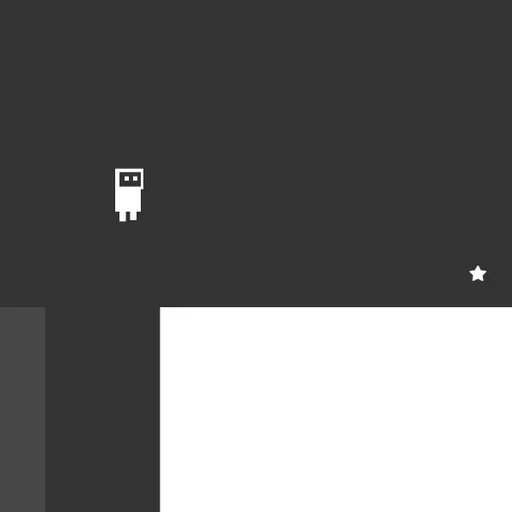
OnOff stars a tiny robot in a level built from two overlapping sets of blocks, one dark and one light. Only one set can be stood on at any moment. Tap a single key and the other set becomes real while the first fades to an outline. Most puzzles come down to when you make that swap. Daniel Marino and Brad Dunbar built it in 2018 for js13k, with clean vector art and upbeat music.
The Aim
Reach the star on each screen. When you touch it, the next level loads right away. Clear all 25 to see the ending.
The Layer Switch
Blocks on the active layer are solid. The other layer shows as a faint outline you can pass through. Press Space and they swap. So a gap that’s too wide might have a platform waiting on the other layer. A wall blocking you might disappear after a flip.
Spikes belong to a layer too. On the inactive layer they can’t hurt you.
Breaking and Retrying
Your robot bursts apart if it falls off the screen, touches live spikes or ends up inside a block that turns solid. A quick animation plays and the level restarts. Tries are unlimited, and a skull counter keeps score of every fall.
How to Control OnOff
| To do this | On a keyboard | With a mouse |
|---|---|---|
| Run left or right | A / D or Left / Right arrows | — |
| Leap | W or Up arrow | — |
| Flip the platform layer | Space | — |
| Choose a menu option | Up / Down arrows, then Enter | — |
| Exit a custom level | Escape | — |
| Build and adjust pieces in the editor | P places a platform, S + U/D/L/R places spikes, G playtests the level | Drag to reposition or resize, double-click to swap layer, Shift + click to remove |
Puzzle Tips
- Swap mid-jump. Leave the ground, then change layers once your landing spot is clear.
- Plan the whole route. Look at the outlines as well as the solid blocks before taking a step.
- Fall through floors. Making a floor vanish can be the fastest way down.
- Watch which spikes are live. Danger on the faded layer can’t touch you.
- Use every pixel of runway. The jump is small, so take off right at the lip.
The Level Editor
The title menu includes an editor with a help panel. Sketch a stage, place the star and play it at once. It’s a fun way to test ideas after you finish the main levels.
Who It’s For
OnOff suits players who like short puzzle stages more than long runs. Each level takes seconds to minutes. For more jumping, try Little Platformer or see the puzzle games section.
Last played and checked by SZ Games: