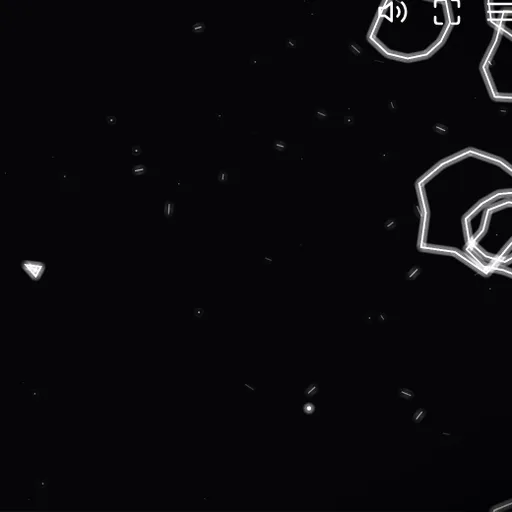
Rock Blaster drops a tiny triangle ship into a field of slow, spinning rocks. Each rock you hit breaks into smaller and faster pieces, so the screen gets more crowded before it gets clear. Every so often a saucer slides in and starts shooting. Your ship keeps drifting after you stop thrusting, and anything that leaves one edge of the screen reappears on the other. Frank Force built it for the open-source LittleJS Arcade.
The Goal
Clear wave after wave and push your score as high as you can. Your best score is saved and shown on the title screen, so each run has a number to beat.
How a Wave Works
Press PLAY and the ship appears in the center, blinking while it cannot be hurt. Large rocks float in from the edges. Hit one and it splits into two medium rocks. Hit those and they split into small rocks, which vanish when shot.
You can have five shots on screen at once, and each fades after about a second and a half. A collision with a rock, a saucer or a saucer bullet costs one ship.
How to Control Rock Blaster
| To do this | On a keyboard | With a mouse | On a touchscreen |
|---|---|---|---|
| Rotate the ship | Left and Right arrows, or A and D | — | Push the on-screen stick to the left or right |
| Fire the thrusters | Up arrow or W | — | The bottom button |
| Shoot | Space or Z | — | The left or right button |
| Warp through hyperspace | Left Shift or X | — | The top button |
| Pause the game | Press Esc | — | — |
| Navigate the menus | — | Click PLAY, OPTIONS or HELP | Tap the menu buttons |
Points at a Glance
- Large rock: 20
- Medium rock: 50
- Small rock: 100
- Big saucer: 200
- Small saucer: 1,000
Saucer shots can break rocks too, but you get nothing for those.
Playing Smarter
- Use short bursts of thrust. The ship coasts a long way, and small pushes are easier to control.
- Split one big rock at a time. Clean up its pieces before you crack the next one, or the screen fills fast.
- Check the far edge. A rock leaving on the right can come back and hit you from the left.
- Chase small saucers early. They are worth the most, and they get more accurate as your score climbs.
- Treat hyperspace as a last resort. The jump puts you at a random spot away from the edges with a little over a second of safety, then needs a short cooldown. It can still land you near a rock.
Controls on Every Device
Keyboard, gamepad and touch all work. On a phone, a stick on the left turns the ship and round buttons on the right fire, thrust and jump. Hold the device sideways.
Why It Is Worth a Few Runs
Rounds start fast and the rules fit in one sentence, yet the drifting ship takes real practice. If you like this kind of retro arcade play, try River Strike or look through our arcade games.
Last played and checked by SZ Games: