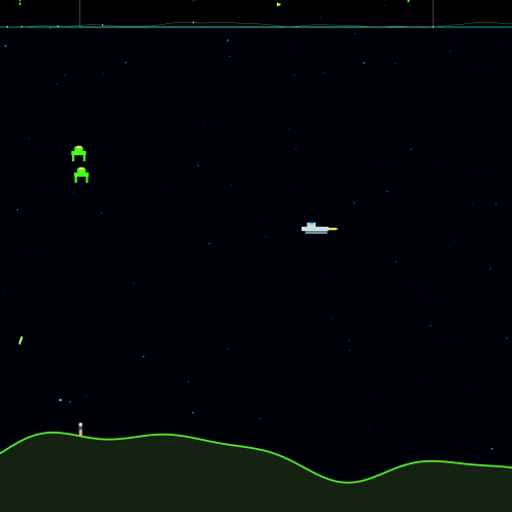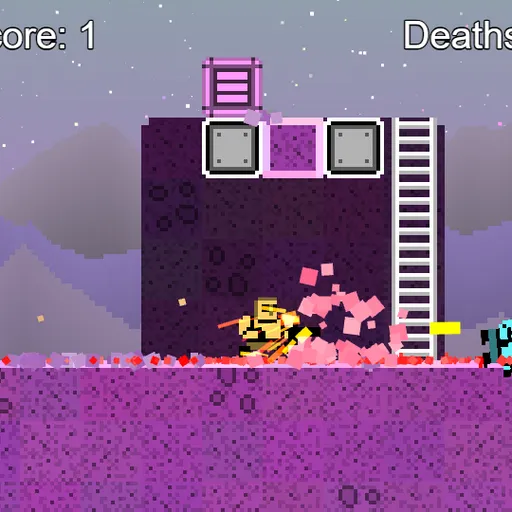
Little Platformer drops you into one wide alien level made of purple rock, crates and ladders. You have a gun, a grenade that recharges every second and a quick dodge roll. Coins float everywhere, and bouncy creatures hop around trying to touch you. The best part is that most of the world can be shot or blown apart, so you can dig your own paths.
It started as the platformer demo for Frank Force’s open-source LittleJS engine. That shows in the physics, particles and breakable ground.
What You Are Trying to Do
There is no finish line. Your goal is to collect all 66 coins and pop all 12 enemies, which gives 78 points. A death counter keeps score of your mistakes, so the real challenge is a full clear with as few deaths as you can manage.
Moving, Shooting and Digging
You start on the left side of the map. Run, jump and climb ladders to explore. Hold jump for a higher leap. Push into a wall while you fall and you’ll slide down it, then you can jump off again.
Enemies take five shots, and so do crates. Each shot also chips one tile of rock away. Grenades beep for three seconds, then blast a round hole. That’s great for shortcuts, but the blast can hit you as well.
The dodge roll keeps you safe while you spin, then needs two seconds to recharge. One touch from an enemy, or your own grenade, ends your life. You then come back at the start with all your progress kept.
How to Control Little Platformer
| To do this | On a keyboard | With a mouse | On a touchscreen |
|---|---|---|---|
| Run around and climb ladders | Arrow keys or W A S D | — | Use the left on-screen stick |
| Jump (hold to go higher) | Up arrow or W | — | Press the on-screen button |
| Fire | Z | Keep the left button held | Press the on-screen button |
| Do a dodge roll | X | Press the right button | Press the on-screen button |
| Toss a grenade | C | Press the middle button | Press the on-screen button |
| Zoom the camera in or out | — | Roll the scroll wheel | — |
| Start the level over | R | — | — |
Tips for a Clean Run
- Open fire early. Five hits is a lot, so start shooting while a creature is still a few steps off.
- Roll past trouble. If an enemy lands in your way, a roll carries you through safely.
- Tunnel to hidden coins. Some coins sit inside rock. A grenade gets you there faster than a long climb.
- Count to three. After a throw, step back. You have time to get clear.
- Zoom out. The mouse wheel pulls the camera back so you can spot coins you missed.
The Sandbox Keys
The author left a few test tools in. T drops a crate at the mouse pointer, E drops an enemy, B sets off a blast and M teleports you to the pointer. They are handy for messing around after a run.
Good For
This suits players who like short action sessions with a bit of freedom. It’s less about reflex tests and more about poking at the world. If you want more like it, see the action games list or try OnOff for a puzzle twist on jumping.
Playing on Touch Screens
On a phone or tablet, controls appear on screen. Turn your device sideways to give the level the most space.
Last played and checked by SZ Games: