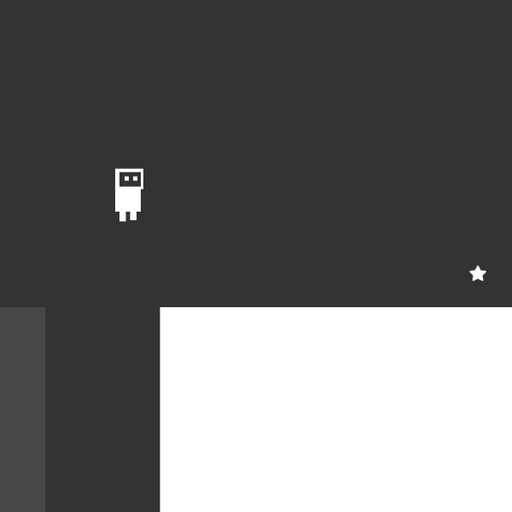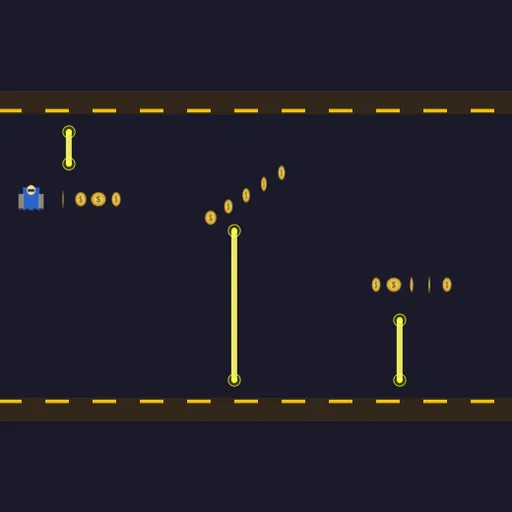
Jetdash is a one-button runner starring a small pilot with a jetpack. You fly through an endless hallway between a striped floor and ceiling. Hold the button to burn upward. Let go to drop. Hazards roll in from the right, and you have to slip through the gap each one leaves. Frank Force made the game for his open-source LittleJS Arcade.
Learning to fly
Press PLAY and the pilot starts running along the floor. Hold the button and the jetpack lifts you. Release it and gravity pulls you down again. The world scrolls past at a steady speed, and a distance counter climbs as you travel.
The whole game is about that one input. The trick is control. Short taps let you hover at one height instead of shooting up and crashing down.
How to Control Jetdash
| To do this | On a keyboard | With a mouse | On a touchscreen |
|---|---|---|---|
| Thrust upward with the jetpack | Hold Space or the Up arrow | Keep the left button held | Keep a finger held anywhere on the game |
| Drop down | Let go of the key | Let go of the button | Take your finger off |
| Pause the game | Esc | — | — |
The three hazards
- Zappers are glowing beams that hang from the ceiling or rise from the floor. They stay still, so you just need to fit through the space beside them.
- Missiles fly in from the right at the height of the open gap. A warning flashes about a second before each one.
- Lasers are fixed to the floor or ceiling and slowly sweep around. The safe space near them keeps shifting.
The farther you go, the more missiles and lasers mix into the sections.
Coins and shields
Each section has one open gap, and a line of coins sits inside it. The coins may form a straight row, an arc or a staircase. Because they always mark the safe gap, they are also a guide. Follow the coins and you are usually in the right place.
Every so often a shield bubble floats in the gap too. It lets you survive one hit. Without a shield, touching any hazard ends the run, and the game shows your distance and coins.
Tips from the cockpit
- Tap, do not hold forever. Light taps keep you level and safe.
- Let the coins lead. They show you where the gap is.
- Move on the warning. Change height when the missile alert appears, not when the missile shows up.
- Pass lasers on the trailing side. Go around the side the beam is turning away from.
- Stay calm after a shield breaks. Use the short blink time to find a safe spot.
Quick sessions
Each section is built on the fly, so no two runs are the same. A run can last a few seconds or several minutes. For more one-button arcade fun, try Sky Hop or visit our arcade games.
Last played and checked by SZ Games: