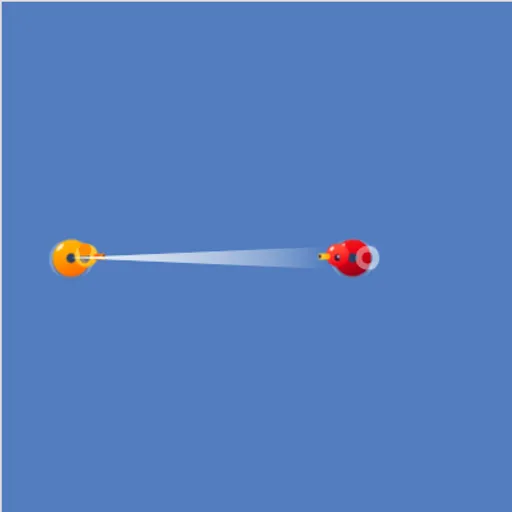
Block Code Duck Pond turns coding practice into small duck battles. Your orange rubber duck floats in a blue pond with one rival. It can fire a cannon, scan for enemies and swim, but only when your program says so. Each rival needs a different trick to beat. The game is adapted from Google’s open-source Blockly Games.
Blocks First, Then Real Code
There are ten levels made of five challenges. Each challenge shows up twice. First you solve it by snapping blocks together. Then the very next level gives you a code editor with line numbers, and you type the same solution as JavaScript. Seeing both forms side by side makes the jump from blocks to text much smaller.
How a Battle Plays Out
The pond sits on the left with health bars underneath. Build your program, press Run Program, and your duck acts it out live. Bring the rival’s health to zero to win. The success box shows the JavaScript behind your work, and OK takes you onward.
The Five Challenges
- A sitting target. Aim once at the right angle and range.
- A tough target. It takes many hits, so you need a while loop.
- A moving target. Use scan to find where it is each time.
- A far target. It is out of cannon range, so swim toward it.
- Careful approach and a runner. Swim partway, stop, then fire. The final rival tries to flee once it is hit.
How to Control Block Code Duck Pond
| To do this | On a keyboard | With a mouse | On a touchscreen |
|---|---|---|---|
| Assemble a program (block levels) | — | Pull blocks out of the Pond and Math categories | Drag the blocks with a finger |
| Code a program (JavaScript levels) | Type inside the code editor | Click into the editor to set the cursor | — |
| Enter an angle or number | Type the number, then press Enter | Click on the value and type a replacement | Tap on the value |
| Start or reset the battle | — | Click Run Program, and later Reset | Tap Run Program, and later Reset |
| Browse the command reference | — | Open Documentation | Tap Documentation to open it |
Coding Hints
- Sketch the angle. Straight up is 90 and straight right is 0. Work out diagonals from there.
- Pass scan into cannon. Using scan(angle) as the range means your shot lands on a target that moves.
- Loop your attack. Put cannon calls inside while (true) so the duck keeps firing.
- Check your own bar. Collisions cost you health too.
- Open Documentation. It explains loc_x, loc_y, speed and health, which help with the final pair.
Device Notes and Who It Suits
This is a good fit for beginners and students who want a gentle first step into JavaScript. Block levels work with touch, but the typing levels need a keyboard, so a computer is best. If you enjoy it, try Block Code Maze for a pure block challenge.
Last played and checked by SZ Games: