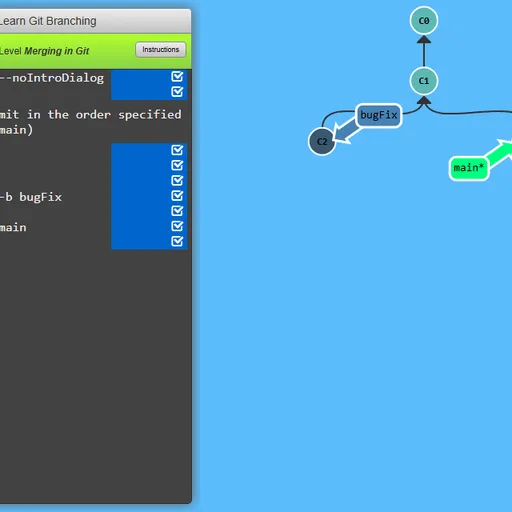
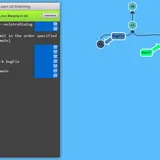
Learn Git Branching is a puzzle game that teaches the version control tool git. You get a command box on one side and an animated diagram of your repository on the other. Every level gives you a tree to copy. You reach it by typing genuine git commands, one at a time. Peter Cottle created the project, and it runs from your very first commit all the way to rebasing with remote repositories.
How a level works
Every level opens with a short lesson. Many include a step-by-step demo of the new command. Close the lesson and the terminal is ready for you.
Enter something like git commit or git checkout main and watch the picture react. New circles appear and labels jump to new spots. Each circle is a commit, and each label is a branch.
A goal window floats over the diagram. Look at it, hide it while you work, and bring it back to compare. When your tree matches, the level is solved and the next one is offered.
How to Control Learn Git Branching
| To do this | On a keyboard | With a mouse |
|---|---|---|
| Enter a command | Start typing anywhere on the page, then press Enter | — |
| Bring up the level menu and choose a level | Type levels, then use arrow keys and Enter | Click a level number inside the menu |
| Check your tree against the target | Type show goal (or hide goal) | Press Show Goal on the level bar |
| Ask for a hint or reread the lesson | Type hint, or objective | Press Instructions on the level bar |
| Undo the previous command | Type undo (or reset to begin again) | — |
| Step through a lesson or dismiss it | Right arrow or Enter goes forward, Left arrow goes back, Escape closes | Click the arrows or the check mark |
The level sets
There are 36 levels in total, split across two tabs.
- Main has 20 levels in five sets: an introduction, ramping up, moving work around, a mixed bag and advanced topics.
- Remote has 16 levels about clone, fetch, pull, push and their options. They simulate a second repository and commits made by teammates.
Helpful tricks
- Find the star symbol. The branch with the asterisk is where HEAD sits, and that is where your next commit goes.
- Point with relative names. Short forms like
main^let you skip reading long commit IDs. - Type undo. It steps back one command, so you can test an idea without starting over.
- Read the goal shape. Copied commits often mean a rebase or cherry-pick. A commit with two parents means a merge.
- Warm up in the sandbox. A few minutes of free play makes the rebase levels much clearer.
Who it is for
This is a good fit for students, new developers and anyone who has typed git commands without being sure what they did. The visual tree makes cause and effect easy to see. If you enjoy learning code through games, try SQL Detective Mystery or CSS Diner.
Last played and checked by SZ Games: