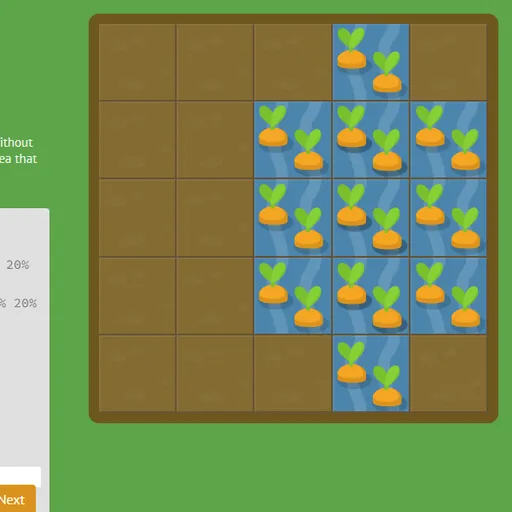
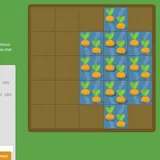
CSS Grid Carrot Patch is a coding game that teaches CSS grid through gardening. The garden is a five-by-five plot of soil, and some squares hold carrots or weeds. You write CSS to place a patch of water on the carrots or poison on the weeds. The garden is a real grid container, so the patch moves the moment you type.
Why a Garden Helps
Grid layout is all about lines and spans, and those are hard to picture from text alone. Here you see the result of each value right away. Type a number and the patch jumps. Change a span and it stretches. That quick feedback makes the rules stick.
Working Through a Level
Each level has a short lesson, a code box and the garden. Most of the stylesheet is already there. You add the missing lines.
When your patch covers exactly the right squares, the Next button lights up. Press it, and the plants you treated change to their finished look. Then the next level loads. Some levels have two patches at once, and they can overlap.
How to Control CSS Grid Carrot Patch
| To do this | On a keyboard | With a mouse | On a touchscreen |
|---|---|---|---|
| Write CSS | Type into the code box | — | Tap the code box to bring up the on-screen keyboard |
| Send in a correct answer | Press Enter on the final line, or Ctrl + Enter | Hit "Next" when it lights up | Tap "Next" on screen |
| Choose a level | — | Click the level counter and then a number, or use the arrows at the sides | Tap the level counter and then a number |
| Learn about a property | — | Hover over a highlighted property name in the instructions | — |
What the 28 Levels Cover
The early levels use one property at a time:
grid-column-startandgrid-column-endto set where a patch begins and ends.- Negative line numbers that count from the right edge.
spanto give a width instead of an end line.
Next, the shorthands grid-column and grid-row combine start and end, and grid-area sets all four lines in one go. The order property then rearranges items that are placed automatically.
The final stretch changes the grid itself with grid-template-columns, grid-template-rows and grid-template. You also meet percentages, pixels, ems, repeat() and fr units. Solving the last level shows a short win screen.
Tips for Clean Answers
- Count lines, not cells. Columns 2 to 4 run from line 2 to line 5, so you write
grid-column: 2 / 5. - Use span for known sizes.
grid-column-end: span 3covers three cells from the start line. - Learn the grid-area order. It goes row start, column start, row end, column end.
- Think of fr as shares. In
1fr 5fr, fixed sizes come first and the rest splits into six parts. - Point at highlighted words. They show which values each property accepts.
Devices and Who It Suits
This game is a good next step after selector practice in CSS Diner. It suits students, new web developers and anyone curious about layout. On narrow screens the garden and editor stack in one column, and you type with the on-screen keyboard. The property tips need a pointer, so a computer is the most comfortable choice.
Last played and checked by SZ Games: