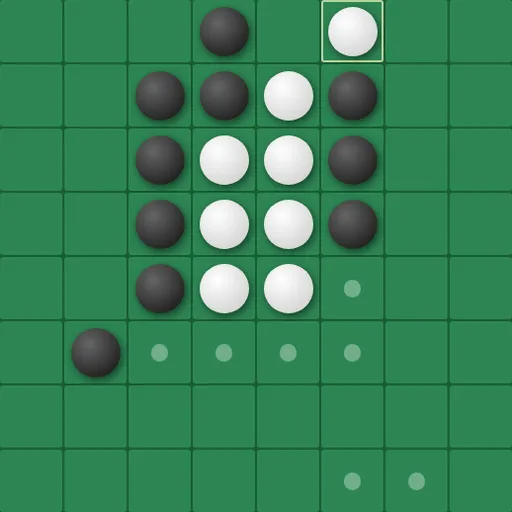
Universal Reversi takes the classic disc-flipping game and removes the walls. A row that runs off the right side of the board comes back on the left, and the top joins the bottom. Corners and edges stop being safe spots, so the usual habits stop working. Norbert Nopper made it as one web page with several board sizes and computer levels.
The Basic Idea
Two colors, black and white, share the board. You trap enemy discs in a straight line between a new disc and one of your own, and every trapped disc turns to your color. Whoever owns more discs when play stops wins. An equal count is a tie.
Turn by Turn
The game opens with four discs in the center, set diagonally. Black moves first. On your turn, you must play a disc that traps at least one enemy disc. Lines count in all eight directions, and here they may cross an edge and keep going on the far side.
Small dots mark every legal cell, so you never have to guess. If you have no legal move, you pass and your opponent plays again. When neither side can move, the game ends.
By default you take Black against the computer on an 8x8 grid. Changes in the Game Settings panel, such as players, starting color, size and level, apply only after you press Reset Game. Runtime Settings like the move dots apply at once.
How to Control Universal Reversi
| To do this | On a keyboard | With a mouse | On a touchscreen |
|---|---|---|---|
| Drop a disc | — | Click any cell showing a dot | Tap any cell showing a dot |
| Move the board view | Arrow keys | Click the PAN arrow buttons | Tap the PAN arrow buttons |
| Begin a new game with the chosen settings | — | Click "Reset Game" | Tap "Reset Game" |
| Adjust players, board size or difficulty | — | Set them in the Game Settings panel, then reset | Set them in the Game Settings panel, then reset |
How the Wrap Changes Strategy
- No disc is ever fully locked. A corner disc can still be flanked through the opposite edges, so check lines that cross a border.
- Pan to see the whole line. The arrow keys or PAN buttons shift the view, so a wrapped line sits in one piece on screen.
- Keep your options open. Early on, having more legal moves than your rival matters more than holding more discs.
- Read the computer’s dots. They stay visible while the AI thinks, so you can see its choices before it picks.
- Learn on a small board. The 6x6 grid makes wrapped lines easier to spot.
Comfort Options
Move dots and flip animations can each be switched off. An Accessibility setting replaces the shaded discs with flat black and white ones, each ringed in the other color, which helps if you have trouble seeing contrast.
Good For
This is a fit for players who know regular reversi and want something new to think about. It also works as a calm two-player game on one tablet. For another tile-capture board game, try Go, or see more card and board games.
Last played and checked by SZ Games: