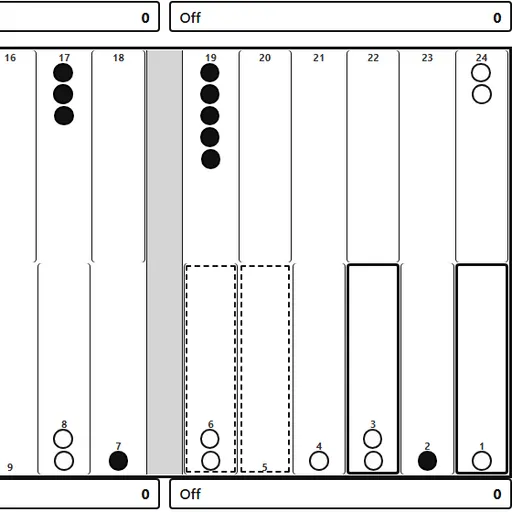
Backgammon is a race with dice, and a fight for space along the way. You and your opponent each move 15 checkers in opposite directions across 24 points. Luck sets the numbers, but your choices decide who gets home first. This version comes from Christopher Müller’s PaperGames set and keeps the full rules, including the doubling cube and gammons.
Getting Your Checkers Home
The aim is to bring all 15 checkers into your home board and then remove them. The first side to clear the board wins.
Black moves first. Press “Roll dice” and move by each die in turn. Rolling a double gives you four moves of that number. You cannot land on a point held by two or more enemy checkers. Land on a point with just one enemy checker, though, and you hit it and send it to the bar.
The Bar and Forced Moves
A hit checker has to come back in through the other side’s home board before its owner can move anything else. That can cost a lot of time. The game also makes you use as many dice as possible, and the larger one if only one fits. With no legal move, your turn simply passes.
When every checker is home, select one and press “Off” to bear it off.
How to Control Backgammon
| To do this | On a keyboard | With a mouse | On a touchscreen |
|---|---|---|---|
| Throw the dice | Tab over to "Roll dice" and press Enter | Hit "Roll dice" | Tap "Roll dice" on screen |
| Shift a checker | Use Arrow keys to reach a point, press Enter, arrow to the destination, then Enter again | Pick a point holding your checker (or the Bar), then the destination point | Tap a point holding your checker (or the Bar), then the destination point |
| Take a checker off the board | — | Select that checker, then hit "Off" | Select that checker, then tap "Off" |
| Propose a double ahead of your roll | — | Hit "Double" | Tap "Double" on screen |
| Undo, resign or view the move list | — | Pick "Undo", "Resign" or "Moves" | Tap "Undo", "Resign" or "Moves" on screen |
| Prepare a fresh game | — | Open "Menu", select "2 Player (local)" or "vs Computer", and hit "New game" | Open "Menu", select "2 Player (local)" or "vs Computer", and tap "New game" |
Scoring a Game
A plain win counts 1 point. If the loser has not borne off a single checker, it is a gammon for 2. If the loser also still has a checker on the bar or in the winner’s home board, it is a backgammon for 3. The cube multiplies all of this.
Before you roll, you may press “Double” if the cube is in the middle or on your side. In a two-player game, the other person answers in a pop-up.
Playing Smarter
- Check the pip count. The line under the dice shows how far each side has left to go.
- Do not leave single checkers close to the enemy. Within six points, one die can hit them.
- Make a wall. Several held points in a row are hard for a trapped checker to cross.
- Double from a strong race lead. A far-behind computer will decline.
- Move up a level when ready. Hard plays more carefully than Medium.
Modes and Tools
Play the computer, or pick “2 Player (local)” and share one device. Undo, a move list and a resign button are always there. Turn on “Suggest difficulty” and the level can shift after three wins or losses in a row. For more classic table games, see Checkers or the full card and board games list.
Last played and checked by SZ Games: