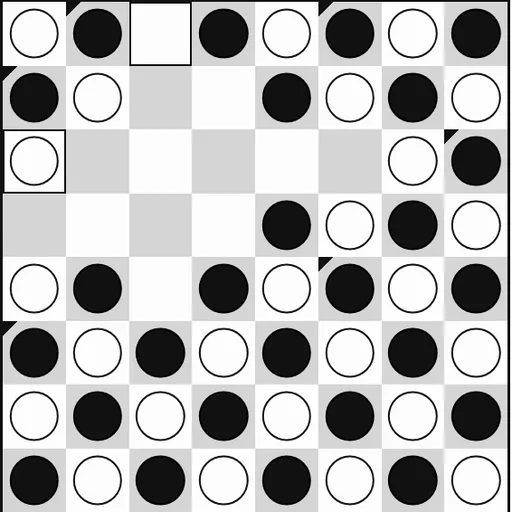
Konane is a stone-jumping game from Hawaii. It is played on an 8x8 board where every square starts filled. Black and white stones alternate across the whole board like a checkerboard. In this game there are no quiet moves. Every turn is a jump, and every jump captures. This version comes from Christopher Müller’s open-source PaperGames collection.
The goal
You win by making the last jump. If it is your opponent’s turn and they have no legal jump, they lose on the spot. Capturing lots of stones does not matter by itself. What matters is who still has a move at the end.
Opening the board
Since the board starts full, the game begins with a short removal step.
- Black takes away one of its own stones from a corner or from one of the four center squares. The game highlights the choices.
- White then takes away one of its own stones right next to the new gap.
Now there is room to jump, and Black makes the first real move.
Jumping
A stone jumps over an enemy stone next to it and lands on the empty square just behind. Jumps go up, down, left or right, never on a diagonal. The jumped stone is removed.
If the same stone can jump again from where it landed, you may keep going in a chain. Or you can press Done jumping to stop. A line under the board shows how many stones each side has taken.
How to Control Konane
| To do this | On a keyboard | With a mouse | On a touchscreen |
|---|---|---|---|
| Take away an opening stone | Reach a highlighted stone with Arrow keys, press Enter to take it | Click any highlighted stone | Tap any highlighted stone |
| Jump over a stone | Use Arrow keys and Enter to choose the stone, then where it lands | Click your stone, then the free square past an enemy stone | Tap your stone, then the free square past an enemy stone |
| End a jump chain early | — | Press "Done jumping" | Tap "Done jumping" |
| Play the computer | — | Click "vs Computer", select black or white plus a level, then click "New game" | Tap "vs Computer", select black or white plus a level, then tap "New game" |
| Undo your last move | — | Press "Undo" | Tap "Undo" |
Thinking like a Konane player
- Count moves, not captures. A side with more jump options late in the game is the one that wins.
- End chains on safe squares. Stopping early can be better than landing where you get jumped right back.
- Mind the holes you make. Every jump opens new empty squares, and your opponent may use them next.
- Use the edges. A stone on the border can only be jumped along that edge, which makes it hard to attack.
- Count the endgame. When few jumps remain, add them up to see who will make the last one.
Playing options
You can face the computer at Easy, Medium or Hard, or pass one device back and forth with a friend. Undo and Resign are always there, and the game is saved if you reload. For another jumping game, try Checkers, or see more card and board games.
Last played and checked by SZ Games: