Dots and Boxes is a classroom favorite that started on scrap paper, and here it runs on a crisp black-and-white grid. Two players take turns linking neighboring dots with short lines. Finish the fourth side of a square and it is yours. This version is part of Christopher Müller’s open-source PaperGames collection.
The Aim
You want to own more boxes than your opponent when the grid is full. That sounds simple, but the real game is about which lines you are forced to draw. Every line you add can hand a box to the other player.
Turn by Turn
Start by picking a grid of 4x4, 5x5, 6x6 or 8x8 boxes. The 6x6 board is the default. Player 1 draws first.
On your turn, add one line between two dots that sit side by side, either across or up and down. Each spot can only hold one line.
When your line closes a box, the box gets your mark and you draw again right away. If the next line closes another box, you keep going. The turn only passes when you draw a line that finishes nothing. That rule means one move can start a long streak.
The game stops once every line is drawn. Count the boxes to see who won.
How to Control Dots and Boxes
| To do this | On a keyboard | With a mouse | On a touchscreen |
|---|---|---|---|
| Add a line | Use Arrow keys to reach a line, then Enter to draw it | Click the space between two adjacent dots | Tap the space between two adjacent dots |
| Play against the computer | — | Hit "vs Computer", choose Player 1 or 2, a level and a grid size, then hit "New game" | Tap "vs Computer", choose Player 1 or 2, a level and a grid size, then tap "New game" |
| Face a friend on the same screen | — | Hit "2 Player (local)" | Tap "2 Player (local)" on screen |
| Undo a move | — | Hit "Undo" | Tap "Undo" on screen |
| Show settings | — | Hit "Settings" | Tap "Settings" on screen |
Telling the Players Apart
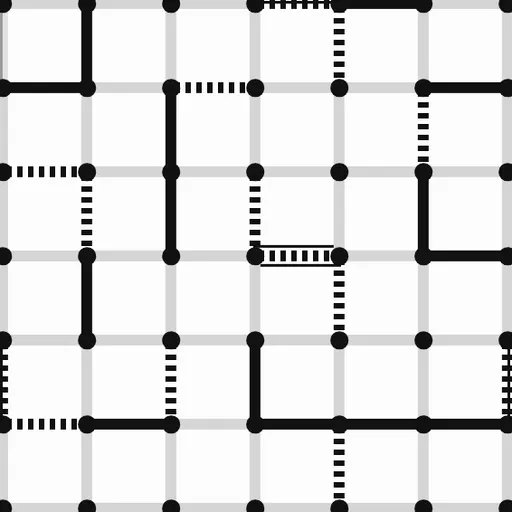
Player 1 draws solid black lines and marks boxes with a cross. Player 2 draws dotted lines and marks boxes with a circle. A legend under the grid explains this, and a score line keeps a live count for each side.
Opponents and Options
Play against the computer at one of three levels:
- Easy draws lines at random.
- Medium takes any free box and avoids giving you one.
- Hard does the same, and when every line left would give boxes away, it chooses the one that costs it the least.
You can also choose “2 Player (local)” to play a friend on one screen. Undo steps back through earlier moves, and your game is saved in the browser if you reload.
Thinking Ahead
- Never draw a third side lightly. A box with three sides is a gift to the next player.
- Play safe lines early. As long as you can, leave every box with two sides or fewer.
- Spot chains. A row of boxes that each have two sides acts like one long tunnel. Whoever opens it usually gives the whole thing away.
- Give up the smallest group first. When safe lines run out, open the shortest chain to limit the damage.
- Count chains near the end. On big grids, the number and length of the last chains decide who wins.
Why Try It
Matches are short on small grids, and the rules take seconds to learn. Yet the endgame has real depth, so it rewards practice. If you like quiet two-player logic, look through more strategy games on SZ Games.
Last played and checked by SZ Games: