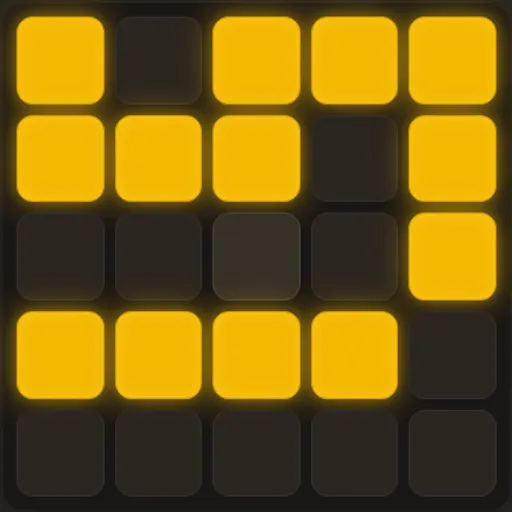
Light Switch Grid gives you a 5x5 panel of amber lights and one job: switch them all off. The trick is that no switch works alone. Each press flips the cell you touch and every cell that shares a side with it. So one tap can turn lights on as easily as off, and you have to think a few moves ahead.
The game has a retro terminal style and a short help page behind the “? man” button. It comes from Tejas Wavde’s open-source set of small browser games.
The Goal and the Rule
You start with some lights glowing. A press toggles up to five cells: the one you chose plus its neighbors above, below, left and right. Edge and corner cells have fewer neighbors, so they change fewer lights.
You win the moment the last light goes dark. The game then shows how many presses you used.
How a Round Plays Out
Pick Easy, Medium or Hard. Each level first loads a daily board based on the UTC date, so everyone gets the same layout for that day. Hit “new” if you want a random one instead.
A status line counts lights still on, and a move counter tracks your presses. Undo takes back one press. Reset returns to the starting pattern and sets moves back to zero, but keeps the same puzzle.
How to Control Light Switch Grid
| To do this | On a keyboard | With a mouse | On a touchscreen |
|---|---|---|---|
| Toggle a cell (also flips its side neighbors) | — | Click that cell | Tap that cell |
| Undo the previous press | — | Press "undo" | Tap "undo" |
| Go back to the starting pattern | — | Press "reset" | Tap "reset" |
| Choose a difficulty or generate a random puzzle | — | Click Easy, Medium, Hard or "new" | Tap Easy, Medium, Hard or "new" |
| Show or hide the help page | Esc or Q dismisses it | Click "? man", then the × or anywhere outside the box | Tap "? man", then the × or anywhere outside the box |
Scoring Your Run
There are no points, only moves. Your lowest count for each level becomes your Best. Since the scramble used 3, 6 or 10 presses, you know roughly how short a clean solve can be.
A Method That Works
You don’t need to guess. A simple system clears most boards:
- Work top to bottom. For each lit cell in row one, press the cell right under it. Then do the same for row two, and so on.
- Check the last row. After the sweep, only the bottom row may still have lights. That leftover pattern hints at which top-row cells to press.
- Sweep again. Press those top-row cells, then repeat the downward chase.
- Skip double presses. Pressing a cell twice undoes itself and only adds moves.
- Order is free. The final board depends only on which cells you press, not when. Plan the full set before you tap.
This chase method is reliable but not always the shortest. Once you can solve every board, try to beat your Best by spotting presses that clear several lights at once.
Who It Suits
This is a good pick if you like quiet logic with no timer. Rounds take a minute or two, which makes it easy to play a daily board on a break. For more grid logic, try Light Up Lamp Puzzle or browse all puzzle games.
On Phones and Tablets
The cells are big square buttons, so a thumb is all you need. Hold the phone upright to see the whole grid with the buttons underneath. The colors follow your device’s light or dark setting.
Last played and checked by SZ Games: