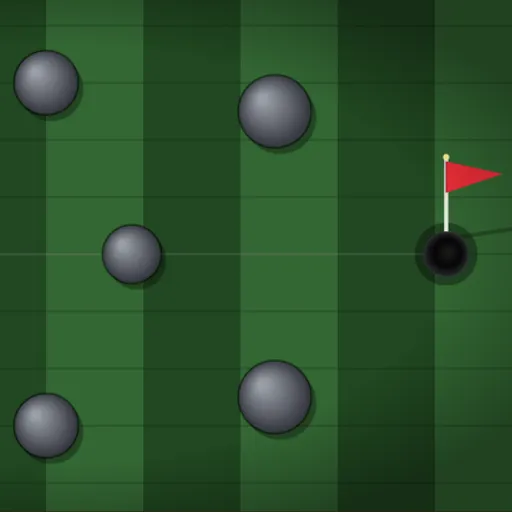
Mini Putt Park is a small mini golf course seen from above. It has nine greens, and no two play alike. You’ll bank shots off wood planks, thread gaps in a ring of stones and wait out a striped gate that keeps moving. Fewer strokes is always better. The game runs on Frank Force’s LittleJS engine with Box2D handling the rolling ball.
How You Putt
Press on the ball and drag toward where you want it to go. Unlike some golf games, the ball rolls in the same direction you drag. The arrow gets longer as you pull, and a power reading at the bottom shows the strength. Let go to hit.
When the ball is at rest, a faint line points at the cup. It helps you line up, even when a wall is in the way.
The Course
You begin on a map that shows all nine holes as small previews. Click one to start. The top of the screen lists the hole number, your strokes on that hole and your running total.
Planks, round stones and the outer frame all bounce the ball. When it drops, SUNK appears and the next hole loads. After hole 9 the course loops back to hole 1.
How to Control Mini Putt Park
| To do this | On a keyboard | With a mouse | On a touchscreen |
|---|---|---|---|
| Choose a hole from the course map | Number keys 1 to 9 | Click a hole's preview | Tap a hole's preview |
| Line up the putt and its strength | — | Grab the ball and pull toward its intended path; pull farther for a stronger putt | Put a finger on the ball and slide toward the target |
| Hit the putt | — | Let go of the button | Take your finger off |
| Play this hole again | R | — | — |
| Jump to the next hole | N | — | — |
| Return to the course map | Esc | Click the menu icon in the top right | Tap the menu icon in the top right |
Counting Strokes
Every putt adds a stroke. Pressing R puts the ball back on the tee and resets that hole’s count, but strokes you already took stay in your total. Starting from the course map gives you a fresh total.
Shot Advice
- Use the walls. The frame is bouncy, so a bank shot can curl around a blocked line.
- Go medium on the bumper hole. A controlled putt through a gap beats a hard shot that pinballs around.
- Leave it close. From far away, aim to stop near the cup rather than slam it in.
- Read the slanted boards. On the U-shaped hole, angled planks steer the ball back toward the cup.
- Watch the gate. On hole 9, let the striped blocker cycle once or twice before you time your putt.
Who It’s For
Rounds are short and relaxed, which makes this a fine pick for all ages. If you like aiming games, try Gravity Golf too, or see more in sports games.
Devices
Play with a mouse, touch screen or keyboard. On phones, turn the screen sideways for the full course.
Last played and checked by SZ Games: