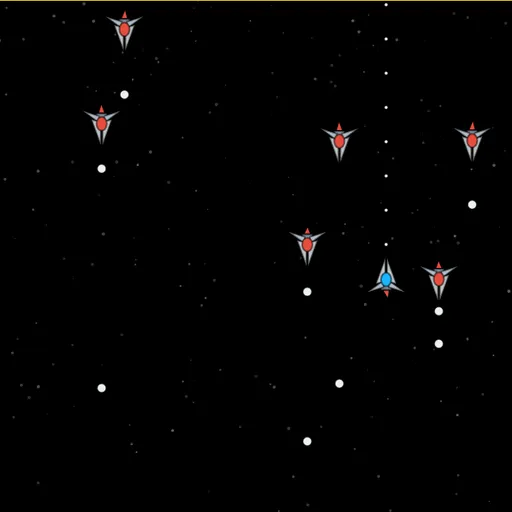
Bullet Hell Space Shooter is a vertical shooter about dodging more than aiming. Enemy fighters stream down a starry screen and fill the space with glowing shots. Your small blue ship sits near the bottom, firing straight up while you thread the gaps. Amelia Clarke built it with p5.js, drawing every ship from basic shapes.
Getting Started
Click the game once so it can catch your key presses. Hold Z to fire and steer in eight directions with the arrow keys or W A S D. Your shots go straight up, so lining up under a target is half the job.
Six Levels of Pressure
Each level sends 80 enemies. Some fire single shots, others spray fans of bullets or send shots that ricochet. There are six enemy types in all, including splitters and bombers. Levels 2 and 4 end with a large boss that changes attack patterns as you wear it down. The background color shifts every two levels. After the sixth level the waves simply stop.
Health, Bombs and Slow Motion
The red squares in the bottom panel are your health. Each hit empties one, and a red pickup refills one. Lose them all and the level restarts.
The green squares are bombs. A bomb erases every bullet on screen and gives you a brief safe window. You begin each attempt with two, and clearing a level adds one.
Slow motion is your other lifeline. Press X or N and everything crawls for about two seconds.
How to Control Bullet Hell Space Shooter
| To do this | On a keyboard |
|---|---|
| Fly around | Use Arrow keys or W A S D |
| Shoot | Keep Z or B held |
| Slow time | Press X or N |
| Set off a bomb | Press C or M |
| Pause or unpause | Press P |
| Display hitboxes | Press H |
| Switch to low graphics | Press G |
Pickups
Downed enemies sometimes leave items behind:
- Blue and pink: 100 or 200 points
- Yellow and dark red: gun upgrades to two or three streams
- Green: an extra bomb
- Red: one health back
Bosses also drop pickups while you damage them.
How to Last Longer
- Never stop shooting. Firing costs nothing, and most normal enemies fall fast.
- Hold the low middle. It gives you the most room to slide either way.
- Save slow motion for real trouble. It recharges slowly.
- Bomb before your last hit. Bombs carry over, so spending one to stay alive is usually smart.
- Check the hitbox. Press H to see how tiny your real hit area is.
Device Notes
This game is keyboard only and ignores taps, so play on a laptop or desktop. For a calmer 3D flight game, try Backspace: Return to Figadore, or explore more action games.
Last played and checked by SZ Games: