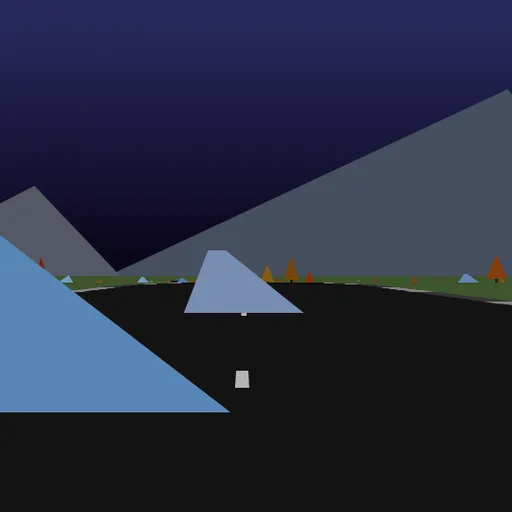
Hue Jumper is a 3D driving game made of simple low-poly shapes. A random road rolls out over hills, and your car picks up speed on its own. You steer with the mouse and try to beat the clock. Rocks and trees sit beside the road, and a quick double-click makes the car jump over them. Frank Force first made the game to fit in just 2 kilobytes. This is his longer, easy-to-read version.
The race against time
Click the screen to start. The timer begins at 20 seconds. The car speeds up whenever its wheels touch the ground and you are not braking.
Every 100 units on the distance counter, you pass a checkpoint. Each one adds 10 seconds to the clock, up to the 20 second limit. It also shifts the colors of the whole world to a new hue, which is where the name comes from. When the clock hits zero, the car stops and the run ends.
How to Control Hue Jumper
| To do this | On a keyboard | With a mouse | On a touchscreen |
|---|---|---|---|
| Get the car moving | — | Click on the game screen | Touch anywhere on the screen |
| Turn the car | — | Slide the mouse left or right | Keep a finger on the side you want to turn toward |
| Slow down | — | Keep the mouse button held | Take your finger off |
| Leap | — | Double-click | Give a quick tap |
| Start again on a fresh road | R | — | — |
| Capture a screenshot | 1 | — | — |
What slows you down
- Leaving the road. Driving on the grass cuts your speed and shakes the camera.
- Hitting scenery. A rock or tree takes away nearly all your speed at once.
- Braking. Each moment spent slowing down eats into a short clock.
The road begins wide and gentle. After each checkpoint it gets narrower and curvier, until it ends at 1000.
Steering feels different here
Mouse steering in this game works like a wheel you hold in place. If you move the mouse left, the car keeps turning left until you bring the mouse back toward the center. New players often turn too far for this reason. After every bend, ease the mouse back to straighten out.
Curves also push the car toward the outside, so lean into each turn a little early.
Tips for going farther
- Look far ahead. Hills hide the next turn, so watch the horizon instead of the hood.
- Tap the brake only before tight bends.
- Jump early. Press before the obstacle while your wheels are still down.
- Restart a bad road. If a layout starts poorly, press R for a new one.
Small details
A sun and a moon circle the sky as your heading changes, so the mountains are lit in different ways as you drive. The colors at each checkpoint recolor the sky, ground and scenery. If you want more endless roads, try Infinite Cars or browse the racing games.
Last played and checked by SZ Games: