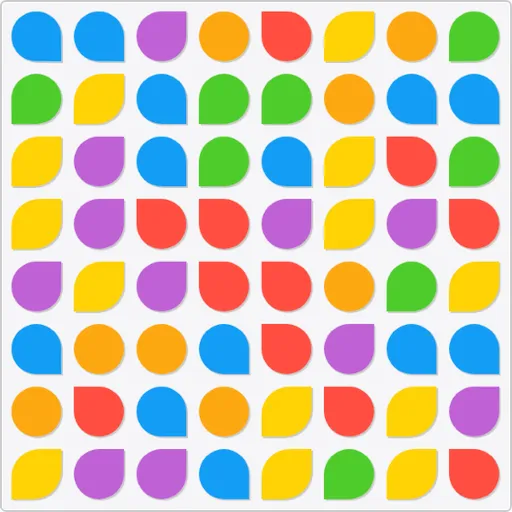
Color Tile Match is a fast swap puzzle played against a draining clock. The board is an 8x8 grid of rounded tiles in six colors. You trade two side-by-side tiles to make a row or column of three or more of one color, and that line clears. Alexander Bazhanov made this version on top of an open canvas tutorial by Rembound, then added boosters, a color counter and a saved best score.
The Basic Swap
Select any tile, then select one of the four tiles touching its sides. If the swap forms a line of three or more matching colors, the line disappears. Tiles above it fall down, and new ones drop in from the top. When a swap makes no match, the tiles slide back.
Sometimes falling tiles form new lines on their own. Those chain matches score too, at no extra effort.
Points and the Clock
A line scores its length squared. Three tiles give 9 points, four give 16 and five give 25. So longer lines pay much more than short ones.
You begin with two minutes on the timer bar. It drains every second, and it drains a little faster as your score climbs. Each time you score, roughly a third of those points is added back as time. The bar can never go past full.
If you stop moving for about 15 seconds, the game shows you a possible move.
How to Control Color Tile Match
| To do this | With a mouse | On a touchscreen |
|---|---|---|
| Trade places between two tiles | Click a tile and then a neighbor, or drag a tile over a neighbor | Tap a tile and then a neighbor, or slide a tile over a neighbor |
| Reveal a possible move | Hit the magnifier button | Tap the magnifier button |
| Apply a booster to the selected tile | Choose a tile, then hit the brush, bomb or palette button | Choose a tile, then tap the brush, bomb or palette button |
| Begin a fresh game | Hit the circular arrow button | Tap the circular arrow button |
| View the rules (timer pauses) | Hit "FAQ" | Tap "FAQ" on screen |
Boosters and Helpers
Three buttons sit under the board, each with a bar that fills as you score:
- Palette: a wild tile, earned every 250 points.
- Bomb: clears a tile and its neighbors, earned every 500 points.
- Brush: a color tool, earned every 1,000 points.
A strip below the board counts how many tiles of each color are in play. The magnifier button highlights a move, and its badge tells you how many legal swaps exist right now.
How to Score Higher
- Match low on the board. Clearing near the bottom drops more tiles and sets up free chains.
- Hunt for fours and fives. A five-tile line is worth almost three times a line of three, and it refills more time.
- Use the bomb on a stuck board. It breaks up a tight area when easy moves run out.
- Point the brush at a common color. Check the color strip and pick the color with the highest count.
- Place the wild tile between two near-lines. One drop can finish both.
- Watch the move badge. A low number means you should plan ahead or save a booster.
A Phone-Friendly Puzzle
The game was built for phones first. The tall layout fits a phone held upright, and you can tap or slide tiles with one thumb. It also plays fine with a mouse. You can switch the text between English and Russian with the button at the bottom. For a slower color puzzle with no clock, try Color Pour Sort.
Last played and checked by SZ Games: