Evolving Civilization is a deep, text-based incremental game that begins in the primordial ooze. You start as a single cell, click to make RNA and evolve one feature at a time. In time your creature gains sentience, and the game turns into a city builder with a large research tree. It is Peter Motschmann’s open-source game Evolve under a new name.
Stage One: The Cell
Everything begins with RNA. Click to make it, then use Form DNA to turn 2 RNA into 1 DNA. Spend both on cell parts:
- Membranes: more room for RNA.
- Organelles: a steady trickle of free RNA.
- Nuclei: automatic RNA-to-DNA conversion.
- Eukaryotic Cells: more room for DNA.
- Mitochondria: a boost to the storage parts above.
Each copy costs more than the last. A darker button means you cannot afford it yet. Hover to see the price.
Branches and Sentience
After the basics come one-time steps such as Sexual Reproduction. Now and then you must pick a branch, like Phagocytosis, Chloroplasts or Chitin. Your path decides what kind of species you become and which traits it has. When Sentience shows up, buy it to found your first camp.
How to Control Evolving Civilization
| To do this | On a keyboard | With a mouse | On a touchscreen |
|---|---|---|---|
| Gather, build or research | — | Click that action's button | Tap that button |
| Do an action 10, 25 or 100 times at once | Keep Ctrl, Shift or Alt held while clicking | — | — |
| Go to a main tab (press again to reach its sub-tabs) | Press Number keys 1 to 7 | Click the name of the tab | — |
| View costs and effects | — | Rest the pointer on a button | — |
| Pause or unpause the game | — | Hit the pause icon in the top bar | Tap the pause icon in the top bar |
Stage Two: The Civilization
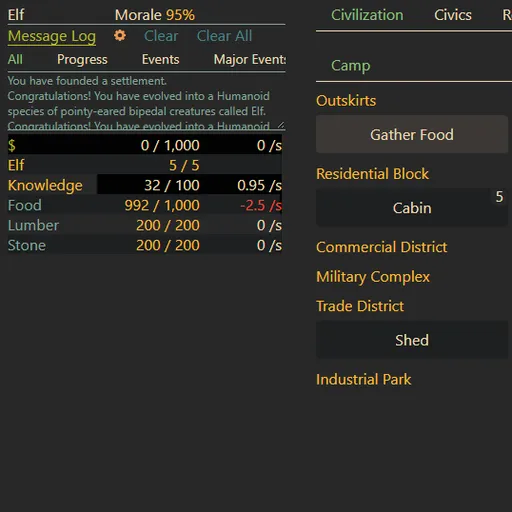
The Evolve tab gives way to your settlement. At first you gather food, lumber and stone by hand. Then you build housing, farms and storage, assign citizens to jobs and unlock research. Each discovery opens new buildings and tabs, and the economy grows more complex.
The game goes much further than a city. Its later stages reach toward space and include resets such as mutual assured destruction. Those resets grant Plasmids that speed up your next run.
Playing Efficiently
- Favor producers early. Organelles keep working while you wait, but extra storage only helps when you can fill it.
- Avoid piling up cheap parts. Rising prices drain RNA you need for milestones.
- Use the multi-buy keys. Ctrl, Shift and Alt repeat an action 10, 25 or 100 times.
- Read before you branch. Some choices lock out others for the whole run.
- Watch the message log. Events and warnings appear there first, and filters help you find old ones.
Saving and Time Away
Progress saves to your browser automatically. If you are gone for two minutes or more, the missed time comes back as accelerated time, which runs the game at double speed until it is used up. Settings also has thirteen interface languages and remappable keys.
Best Way to Play
This is a slow, thoughtful game for players who like numbers going up and long-term planning. Taps work, and it fits a phone held sideways, but tooltips rely on hover. A computer is more comfortable. For other planning games, see the strategy games page.
Last played and checked by SZ Games: