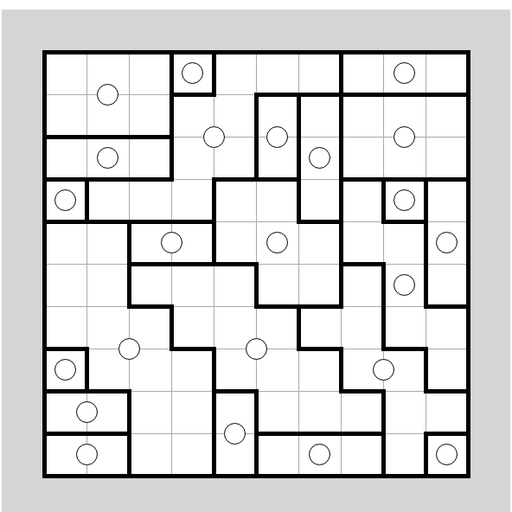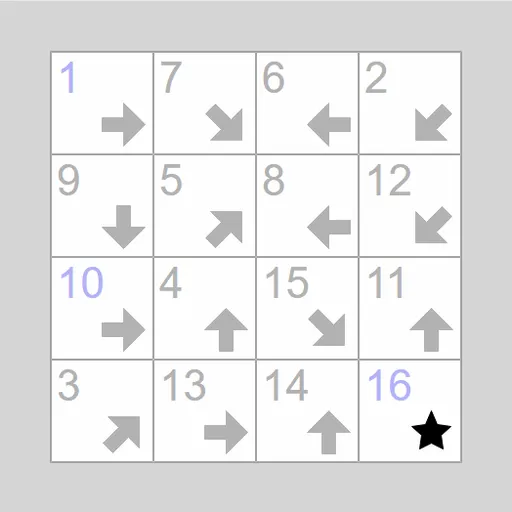
Signpost Arrow Chain fills a grid with little arrows, and your task is to string them all into one numbered path. Square 1 points toward square 2, which points toward square 3, and so on to the end. A few numbers are given, the rest you work out. The puzzle is Signpost by James Harvey, part of Simon Tatham’s Portable Puzzle Collection.
What Makes a Valid Path
The board has one square for each number. A 4x4 grid, for example, runs from 1 to 16. The first and last numbers always show, and the final square carries a star rather than an arrow. Some puzzles also reveal a few numbers in the middle.
Each arrow points straight or on a perfect diagonal. The square that comes next can be far away, but it has to lie on that line. When you press a square, the game lights up every square it could legally link to, which helps a lot early on.
Building Links
Drag from one square to the square that follows it. To link backward, right-drag from a square to the one before it. When a chain of linked squares touches a numbered square, the whole chain picks up its numbers. Chains with no number yet get letter labels until they connect.
To break a link, drag a square off the board. Right-dragging a square off the board breaks its whole chain. The puzzle is solved once all squares form one unbroken run in order.
How to Control Signpost Arrow Chain
| To do this | On a keyboard | With a mouse | On a touchscreen |
|---|---|---|---|
| Connect a square to the next one in the chain | Move with arrow keys, press Enter on the first square and Enter again on the following one | Left-drag from a square onto its successor | Drag from a square onto its successor |
| Connect a square to the one before it | Press Space on a square, then Space again on its predecessor | Right-drag from a square onto its predecessor | Press and hold, then drag (or set Tap to Link backward) |
| Unlink a single square | — | Left-drag that square off the grid | Drag that square off the grid |
| Unlink an entire chain | — | Right-drag any of the chain's squares off the grid | Press and hold, then drag it off the grid |
| Start new, undo or redo | N, U, R | Use the menu buttons above the grid | Use the menu buttons above the grid |
Lines of Reasoning
- Start at the star. Only a square whose arrow points at the last square can come just before it.
- Find squares with one way in. If only one arrow on the board can reach a square, that arrow’s square is its predecessor.
- Check each arrow’s path. If an arrow passes over only one square that still has a dot, you have found the next step.
- Link early, number later. Lettered chains often drop into place once one end meets a number.
- Trust the dots. A square without a dot already has something pointing at it.
- Reset tangles fast. Clear a messy chain in one move instead of pulling links apart one by one.
Board Sizes and Help
Six presets run from 4x4 to 7x7, some with free ends, and you can set a custom size. Undo and redo have no limit, and a Solve option shows the answer. The puzzle works well on touch screens. For a similar number-path challenge, try Number Path next.
Last played and checked by SZ Games: