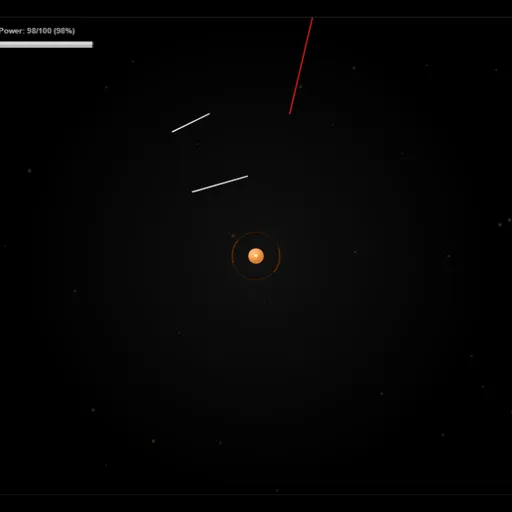
SpacePi is a defense game where your only weapon is a line you draw yourself. A small orange base sits in the middle of the screen, and red enemy lines streak toward it from every side. Drag across their path to place a white barrier, and both lines break apart when they meet. Jack Rugile made SpacePi for the js13kGames contest, and the whole game is drawn in code.
The Goal of Each Level
Your base starts as a dot and grows on its own over time. The Completion bar at the top shows how close it is to the target size. Each hit from a red line takes away part of the base. If it shrinks to nearly nothing, the level is lost. If it reaches the target, you win and the next level opens.
There are 13 levels in a row along the bottom of the upgrade screen. Only the first is open at the start. Later levels send faster, harder-hitting enemies and ask for a bigger base.
Power, Coins and Upgrades
Drawing costs power. A long line drains more of the Power bar than a short one, and the bar slowly fills back up. That makes careless drawing a real risk during a busy wave.
Broken enemy lines often drop coins, and now and then a power-up. Move your pointer near them and they float toward it. Power-ups can slow enemies, give unlimited power for a while, double base growth or rain coins across the field.
How to Control SpacePi
| To do this | On a keyboard | With a mouse | On a touchscreen |
|---|---|---|---|
| Sketch a defensive line | — | Click and drag across the screen | Drag with a finger |
| Attract coins and power-ups | — | Bring the pointer close to them | Touch close to them |
| Pause or continue | Press Space | — | — |
| Purchase upgrades and choose levels | — | Click the buttons | Tap the buttons |
Between levels, spend coins on ten upgrade tracks, each with five steps. Your coins, upgrades and best scores are saved in your browser.
Defense Tips
- Keep lines short and draw them just in front of an enemy.
- Watch all four edges in the first seconds, when your base is smallest.
- Steer the pointer over drops, because the magnet follows the pointer, not the base.
- Spend early coins on power capacity and power generation.
- Replay a cleared level if you need a few more coins.
- Fewer lines help your score, so place each one with care.
If you enjoy guarding a central target, Planet Protector is a good next stop, or look through more arcade games.
Last played and checked by SZ Games: